Schema-driven checklists
A checklist app, with sample dynamic, multi-step examples, where the form schema is defined in JSON.
Checklists get a bad name. When used as fossilised bureaucratic rituals rather than methodical tools for better outcomes, it’s not a surprise that a bad taste often lingers for the unfortunate victim they’re forced on. The phrase “tick-box exercise” usually reflects frustration with how checklists are implemented, the thoughtlessness with which they are applied or enforced, or the outdated, detached, condescending, or unrefined content they contain.
However, checklists are a powerful technology that can complement the human mind very well. They turn complex, error-prone processes into repeatable, deterministic actions. Instead of relying on memory or experience, they can crystallise critical, hard-learned knowledge, allowing newcomers and old hands alike to reliably achieve complex tasks, unburdened by the cognitive load of tracking their current and next steps. This is especially true under pressure or when tasks are infrequent enough not to become habitual.
The difference between good and bad checklists, in my opinion, is mostly about how they extend the user's ability, buoyed by the experience of those who’ve come before, and how they enlighten the user about what to do, how to do it, and the why. A good checklist is a cognitive safety net and load balancer for fast-moving situations where the volume and complexity of knowledge and prospective avenues to resolution are overwhelming. A good checklist does not descend from on high as a dictate but is instead a living document, authored and collaboratively maintained and refined by those who use it.
The Challenge #
This was a project started as an experiment to learn a little more about technologies I’ve been interested in for a while. But it was soon grew into an attempt to tame the growing mountain of scrap paper on my desk, the fractured array of disparate wiki articles, Jira, and GitHub templates I rely on day-to-day, into a single tool, accessible from anywhere, for sharing and recording processes.
In an effort to harness the utility of a good checklist and to wrangle my own innate human ineptitude, I also wanted to create a tool that would enable others to author, maintain, and publish dynamic, checklist-worthy processes without access to their own product development team.
How might a tool help users use and develop good checklists? For a solution to be useful and have a low barrier to entry, it needs to help users define complex processes, record compliance, guide inexperienced users through complex, dynamic, and branching processes, and be easy to author and iterate on. Users might not have developers or coding skills. Users might have complex conditional processes that could greatly benefit from dynamic progressive disclosure, or requirements that change frequently and are often updated.
The Solution #
With the goal of a flexible, user-friendly solution that minimizes development overhead, I combined the following.
Part 1: JSON (JavaScript Object Notation) is a lightweight format for representing structured data in a way that is easy for humans to read and for machines to parse. Using JSON as a store for a process definition offers a good balance of structure and ease of access.
{
    "name": "John Doe",
    "age": 30,
    "email": "john.doe@example.com"
}
Part 2: JSON Schema is a human and machine-readable standard for describing the structure, rules, and constraints of JSON data. It lets you define the shape of data to express which fields can or should exist in a form, what data types they must be (string, number, object, array, etc.), which fields are required, and which values are allowed.
{
  "title": "Course Checklist",
  "properties": {
    "Stage": {
      "type": "string",
      "enum": ["Week 1", "Week 2", "Week 3", "Week 4", "Week 5"],
      "default": "Week 1"
    }
  },
  "allOf": [
    {
      "if": {
        "properties": {
          "Stage": {
            "const": "Week 1"
          }
        },
      },
      "then": {
        "properties": {
          "week1LabCompletion": {
            "type": "object",
            "title": "Complete Lab 1",
          }
        }
      }
    }
With JSON Schema, you can establish patterns, recursively nest them, set minimum and maximum constraints, and then automatically validate against them. It feels a bit like defining a declarative rules definition or encoding logic in configuration rather than in code.
If your application is process-definition-heavy and expected to evolve frequently, that’s exactly the kind of environment where a schema-driven approach becomes strategically valuable, and not just convenient.
Part 3: React JSON Schema Form (RJSF) Library is a React library that automatically generates forms from a JSON Schema. Instead of manually coding each input field, managing state, and writing validation logic, you define a schema that describes the data structure you want, and the library renders the corresponding form with built-in, conditional display, validation and error handling.
One thing missing from RJSF is the ability to create multi-page or wizard-like forms, but it was relatively simple to add this as a wrapper that splits a single appropriately flagged JSON Schema into “pages” and controls which page is displayed at any one time. Essentially, RJSF handles single-page forms, and the wrapper orchestrates the multi-step flow separately.
Part 4: User-friendly, accessible UI presentation through a set of form controls optimised for conditional and binary question answering.

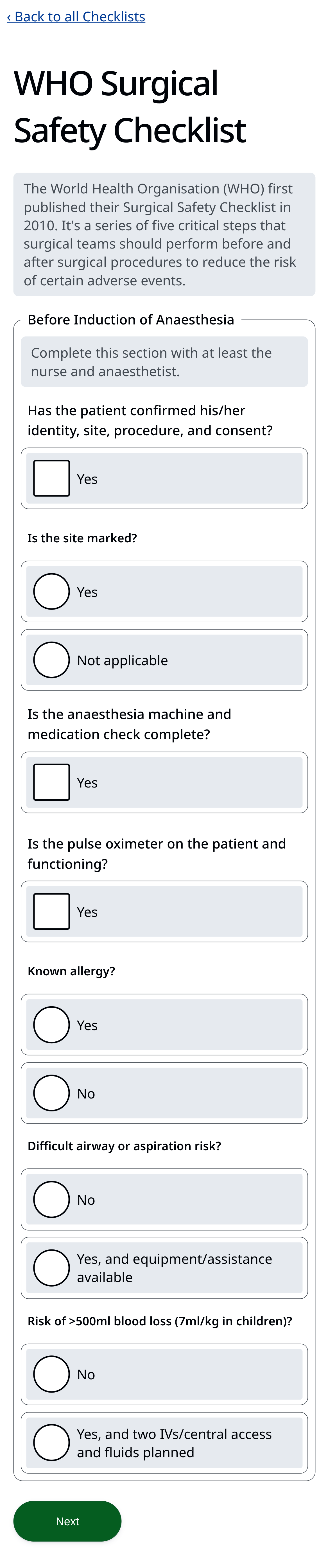
RJSF allows you to define your own adapter templates and “widgets” to be used in place of the default elements generated by the library. A number of custom form fields we developed to optimise the checklist experience, with clear primary and secondary labelling, prominent touch targets, strong visual affordances for related fields, and clear checked vs unchecked states.
Combining the above parts achieves a maintainable, schema-driven system that transforms evolving, complex processes into validated, guided, and accessible workflows, reducing human error and developer burden while improving the user experience.
Try out the Checklist demo yourself
Result #
In summary, defining complex checklists forms in code is hard because:
- Complex nested branching becomes hard to reason about, readability and maintainability decline rapidly at scale.
- Non-technical users struggle to author or debug it
- There are very complex state, validation, and accessibility requirements for the form UI. You want to systemise and solve each requirement once, so you can reuse it.
Things that are difficult to change impeding improvement, refinement and experimentation.
This solution makes defining complex forms easy because conditional structures can be expressed declaratively. Updating the process becomes a schema “configuration” change rather than a React customisation or rewrite, saving development time. The data-based approach to the UI enables the application to enforce good form design principles or user experience guardrails, as well as make accessibility decisions.
After some light familiarization with the schema structure concepts, and even some assistance from your LLM of choice, a Non-technical users can easily author, update, and refine their own checklists in any text editor. This approach lowers the barrier to contributing by allowing anyone to adjust processes without developer involvement. This means that teams can quickly respond to changing needs, continually improve their checklists, and feel a sense of ownership over their processes.
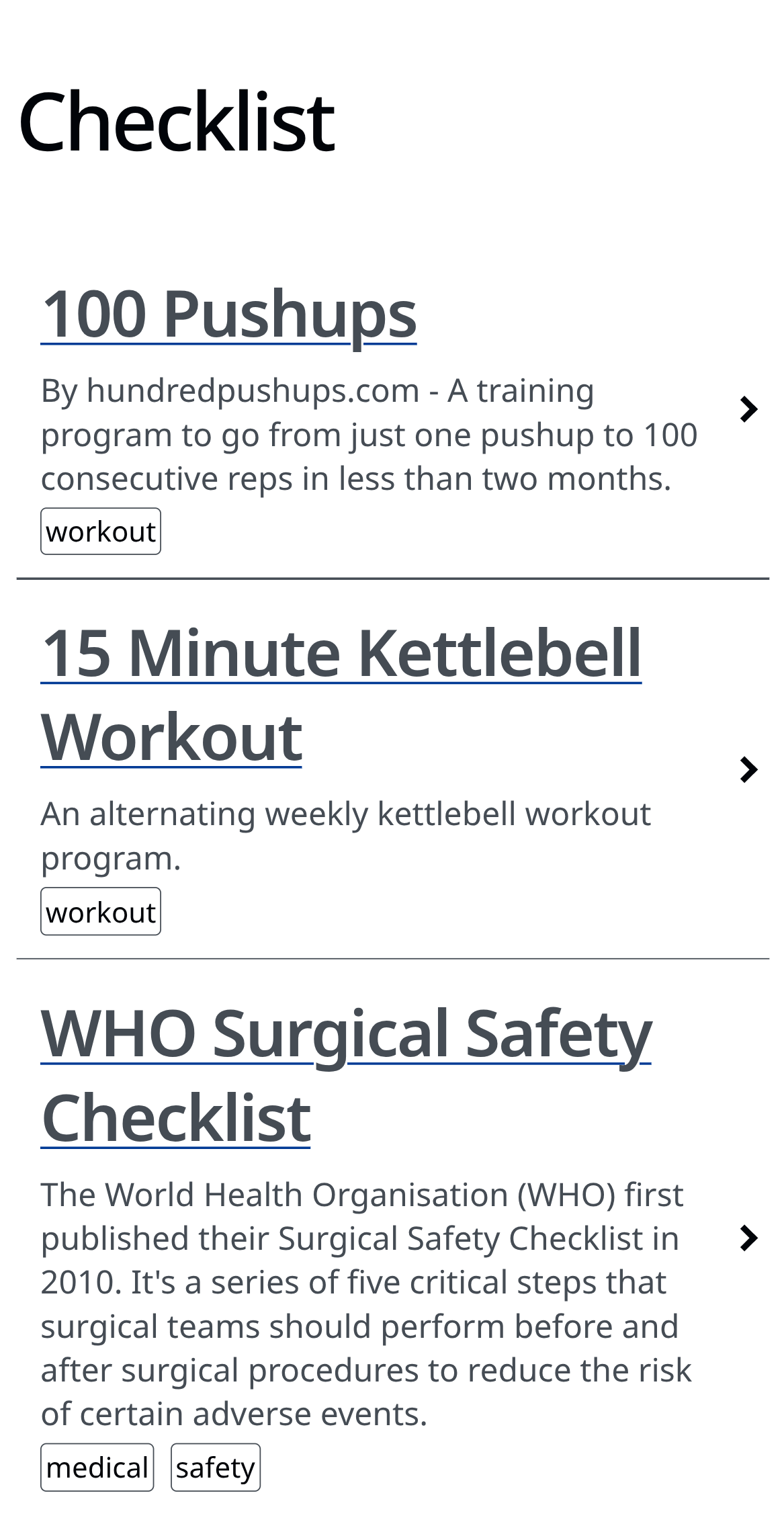
To demonstrate the solution, I’ve added a number of example schemas to the demo, ranging from the vital (WHO Surgical Safety Checklist) to the sensible (A11y UI checklist) to the trivial (15-minute Kettlebell Workout).
Potential Future Improvements #
- Providing a visual form editor for JSON schemas would further lower the barrier to even less technical users.
- Supporting additional field types to allow users to record non-structured results. For example, free-text comments, dates, and signatures, as well as upload media verifications (i.e. photo, video, or audio recordings).
- Allow users to define their scripts in a more visually readable format, such as YAML, which handles complex nested structures more cleanly than JSON, and automatically convert those schemas to JSON on the backend.
- Add adapters for common integrations to allow form data to be submitted and recorded in other tools.